How to make a Never Let Her Pay video, with AI or with a camera
How to make a Never Let Her Pay video: the 3-step AI method from one photo, the 6-shot filming plan, and how to post it on TikTok with the sound.
By Never Let Her Pay AI · Last updated · 6 min read
What do you need to film the sponge meme?
The never let her pay video needs very little. For the AI version you need one clear photo of yourself and a phone or computer with a browser. For the filmed version you need these props and people:
- A table at a restaurant or café, or a home table dressed to look like one.
- A friend to play your date, who reaches for her card.
- A second friend to play the waiter, ideally with an apron and a card machine (any phone can stand in).
- A small black zip pouch or wallet.
- A standard kitchen sponge, yellow on top with a green scourer, so the reveal reads instantly.
- A sink or counter with dirty plates for the last shot.
How do you make it with an AI video generator?
Making the meme with an AI video generator takes three steps and no filming. The steps below are for the Never Let Her Pay AI generator; other tools work in a similar way.
- Upload one photo. Use a sharp, front-facing photo of one adult, head to waist in frame, with no sunglasses. To cast a friend as the waiter, add their photo under “Swap the waiter too”; only the waiter’s head changes.
- Pick a quality and press Generate. The AI recreates all 6 shots of the original clip with you as the man in white. It costs 100 credits at Standard (480p), 200 at HD (720p) or 600 at Full HD (1080p).
- Download the MP4. The finished video is vertical 9:16 and silent. It appears under “My videos” once it has rendered, usually within minutes; it can take longer when the video model is busy.
The cheapest way in is the $8.90 pack of 100 credits, which covers one 100-credit standard video. A video that fails gives its credits back.
How do you film the POV you never let her pay clip yourself, shot by shot?
Filming the never let her pay meme yourself means copying six short shots. The original runs 11.25 seconds, so each shot lasts one to three seconds. Film every shot vertically on a phone, then join them in CapCut or the TikTok editor.
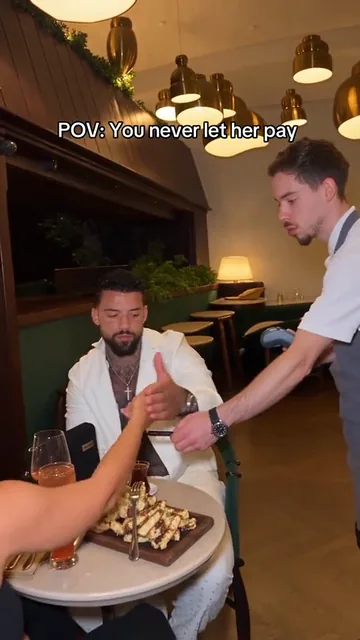
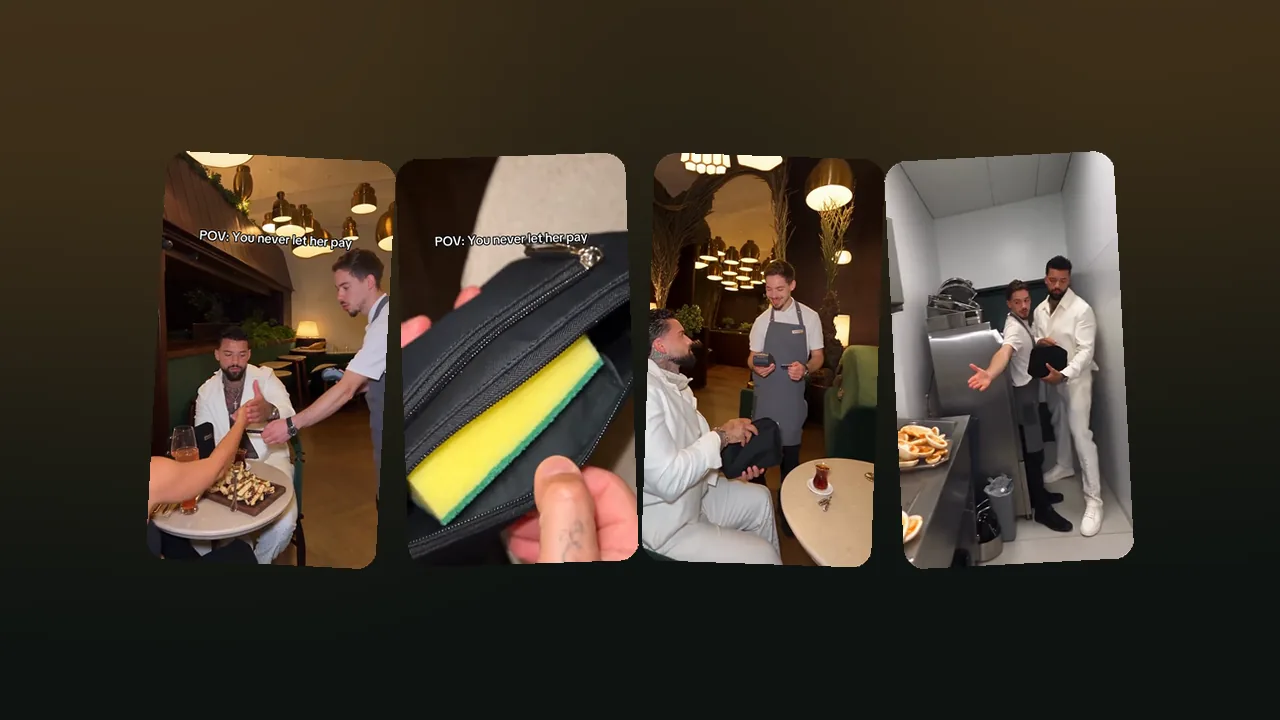
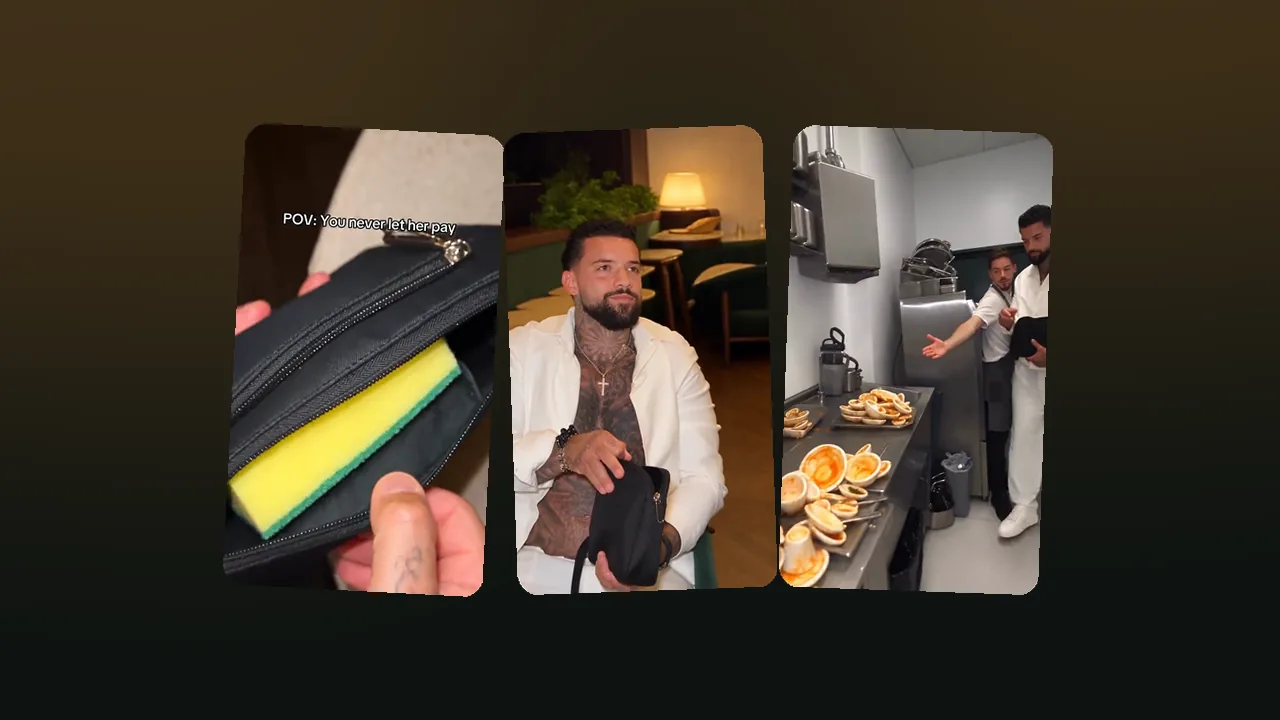
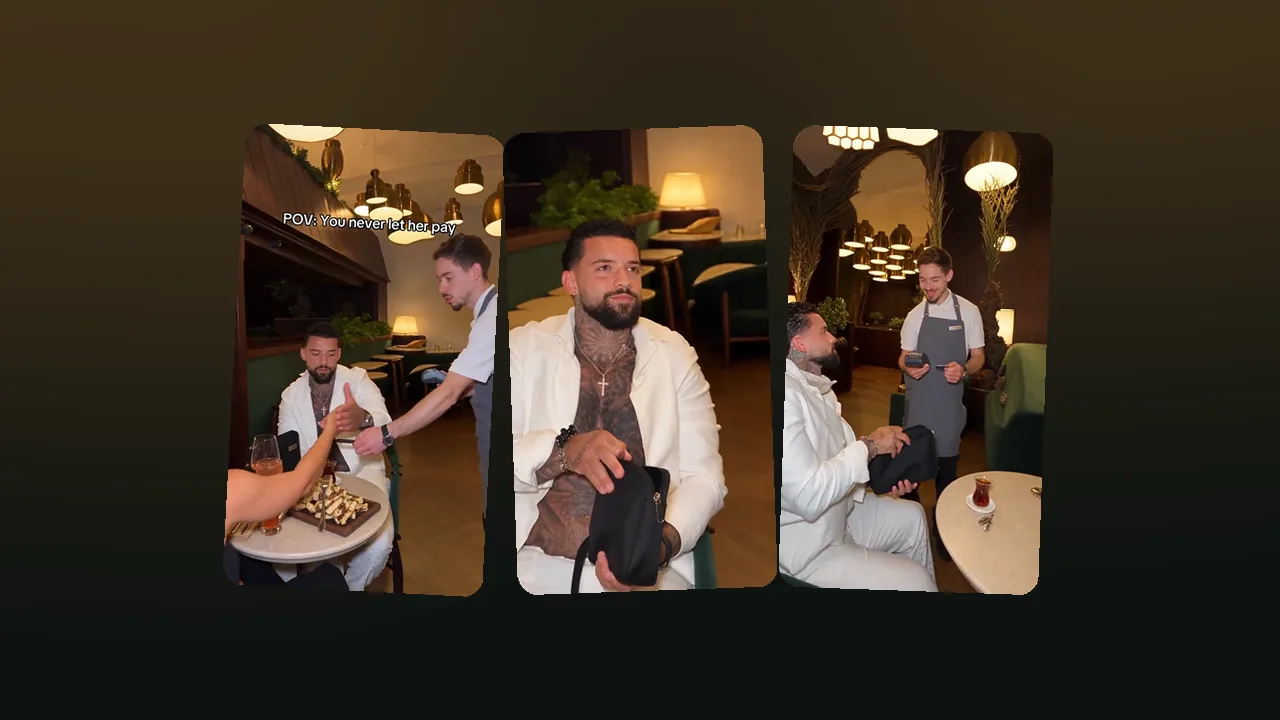
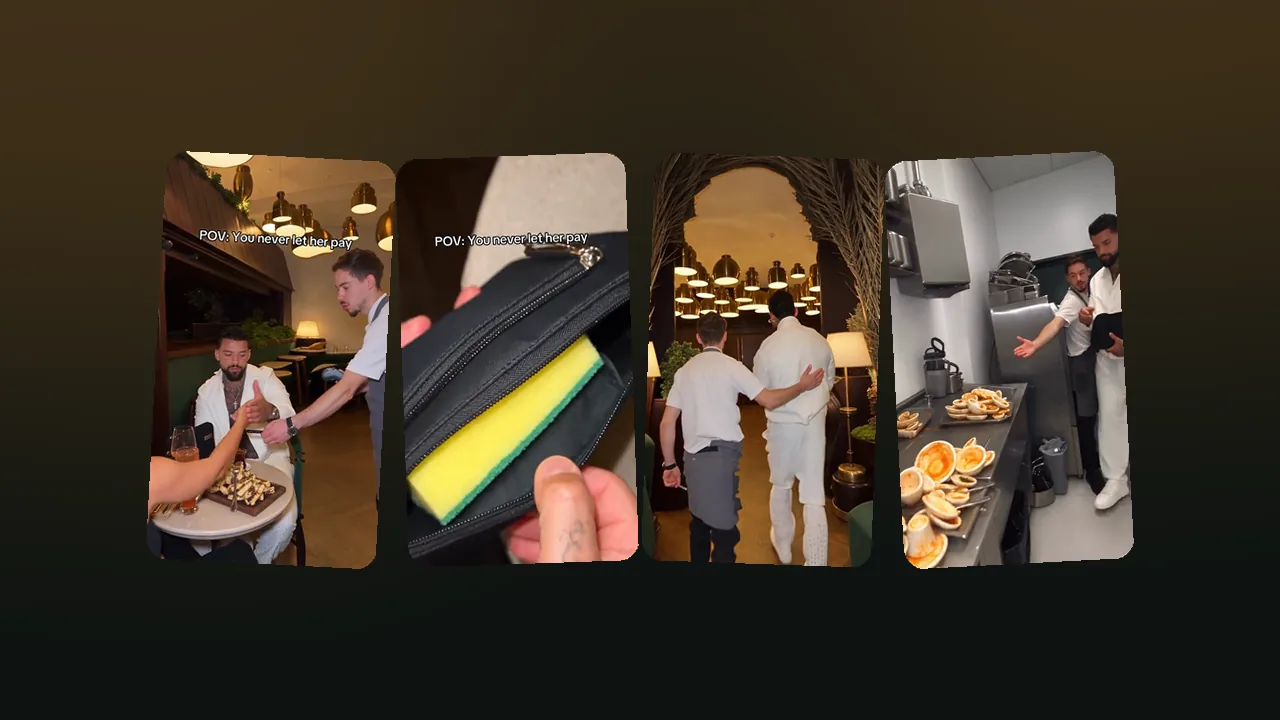
Shot 1 · 0.0 sRestaurant table under brass pendant lampsStops her hand as she reaches over with her card while the waiter holds out the card machine 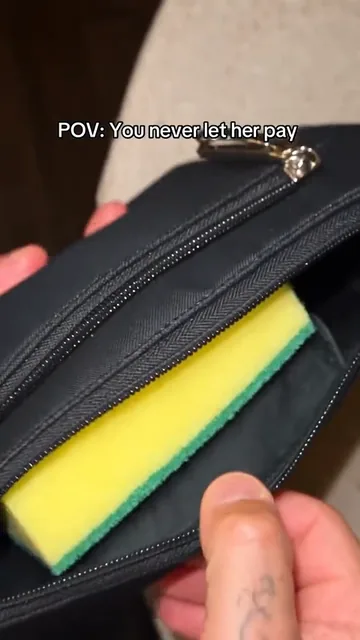
Shot 2 · 3.3 sClose-up of the black pouchUnzips the pouch: inside is a yellow-and-green dish sponge instead of money 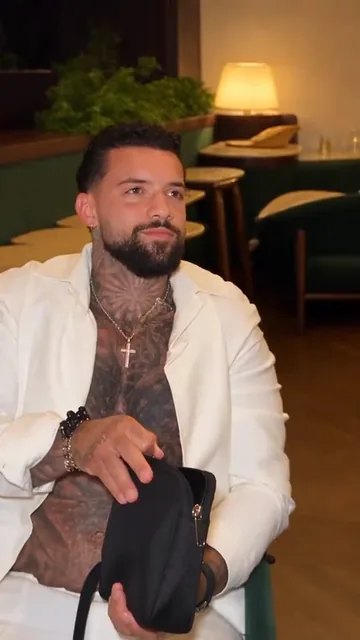
Shot 3 · 4.8 sRestaurant seat, medium close-upHolds the pouch in his lap with a straight, proud face 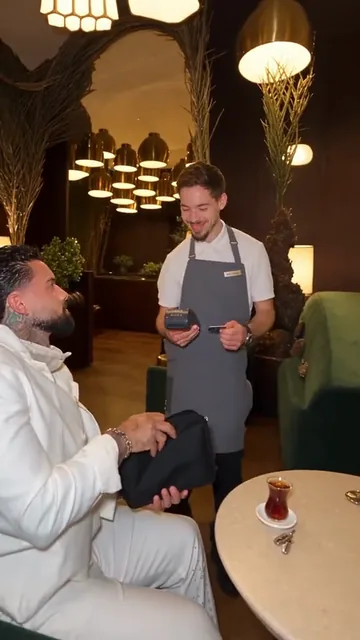
Shot 4 · 6.0 sGreen armchair by a small marble tableSits holding the pouch while the waiter with the card machine bursts out laughing 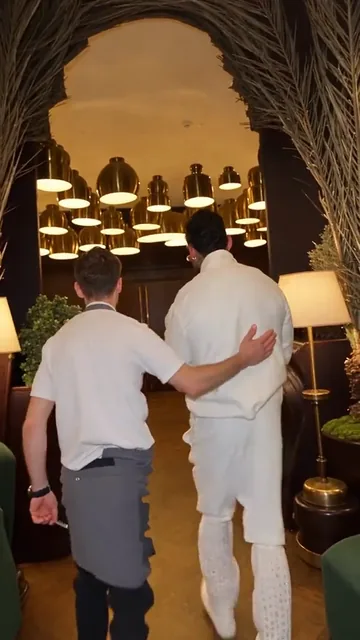
Shot 5 · 7.7 sDining room under arches and pendant lamps, seen from behindWalks to the back with the waiter, who has a hand on his back 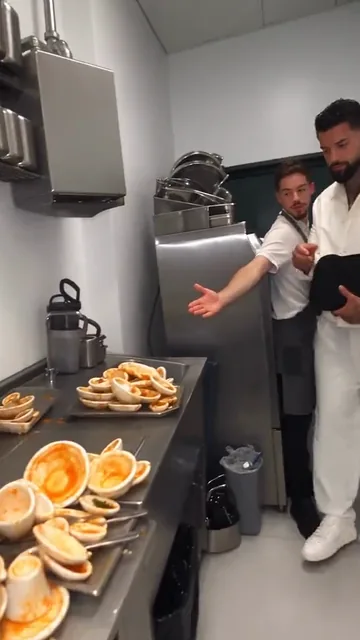
Shot 6 · 9.0 sStainless-steel restaurant kitchenThe waiter points him to a counter piled with dirty plates; he stands ready with the pouch
The second shot carries the joke, so give it a close-up. Hold the pouch near the lens and unzip it slowly so the yellow sponge appears in the last second of the shot. In the last shot, keep the camera wide enough to show the pile of plates.
Is it better to use AI or film the sponge meme yourself?
Filming the sponge meme yourself is better when you have friends and a location; AI is better when you do not. The table compares the two on what matters for a short TikTok clip.
| AI generator | Film it yourself | |
|---|---|---|
| What you need | One photo | Two friends, a pouch, a sponge, a table, a kitchen |
| Time | Minutes of rendering, no filming | About an hour to film and edit |
| Cost | From 100 credits a video | Free |
| Looks like | The original clip with your face | Your own version, your own restaurant |
| Best for | Solo creators, roasts, group chats | Couples and friend groups who like acting |
How do you post it on TikTok with the trend sound?
Add the music in TikTok, not in your editor. Background music pasted into the MP4 is a copyright risk: TikTok can detect it and mute or take down the video. A sound picked inside TikTok comes from TikTok’s licensed library. The quickest way: open any never let her pay video, tap the sound name at the bottom right, tap “Use this sound”, then tap “Upload” and pick your MP4. The full walkthrough, including business accounts, is in how to add background music on TikTok.
If you upload first instead, tap the sound button at the top of the editor and search the trend name to pick the sound most versions use. Put the text “POV: You never let her pay” on screen near the top, where the original has it. Then write a short caption and add tags such as #neverletherpay and #pov. More caption ideas are in our list of never let her pay captions.
The same file works for Instagram Reels and YouTube Shorts. Both apps also let you add a sound from their own library when you post.
How do you make the sponge joke funnier?
The never let her pay video is funniest when the setup looks sincere. Three things help:
- Play it straight. The man never smiles. The straight face in shot three is what sells the joke.
- Make the date look surprised, not annoyed. The joke is on him, not on her.
- End on the plates. Cut the video right as the pile of dishes appears. Do not explain the joke.
If you want the background first, what the never let her pay meme means covers why the sponge is the punchline.