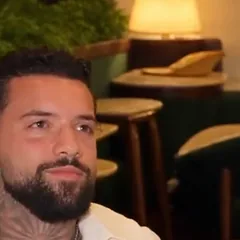
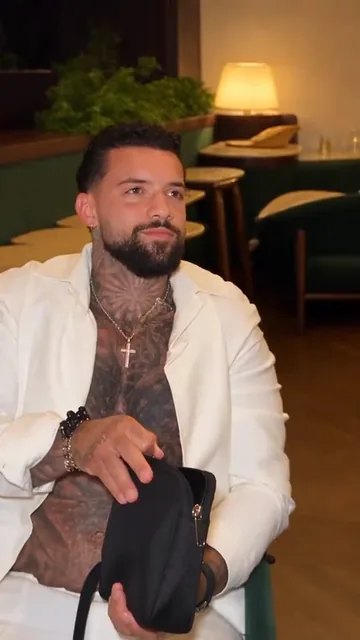
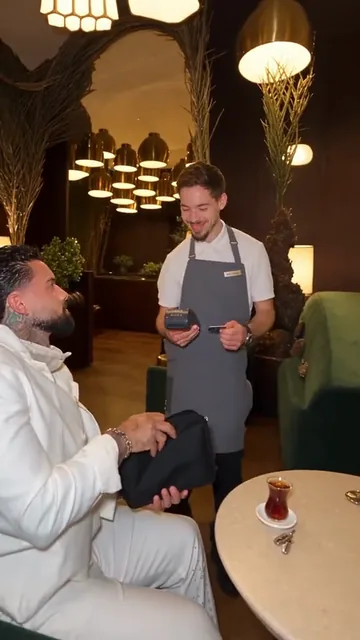
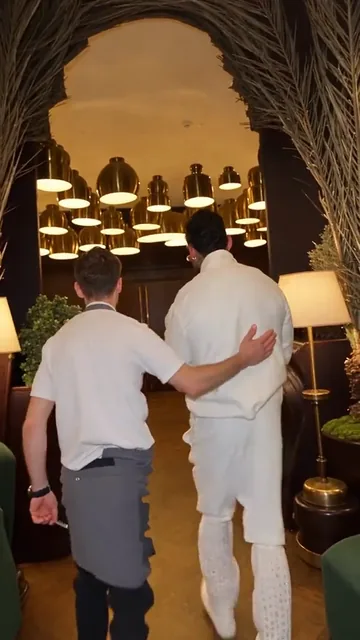
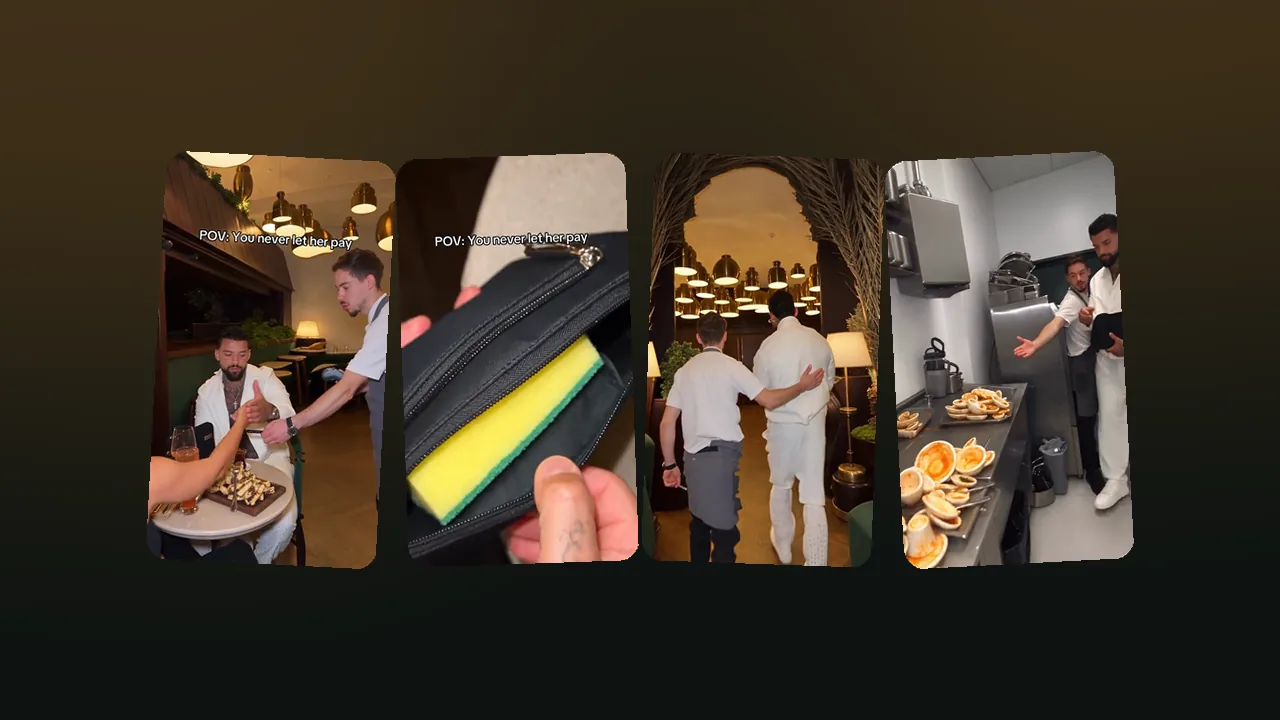
POV: You never let her pay

Never Let Her Pay AI Video Generator

Never Let Her Pay AI turns one photo of you into the viral sponge meme. You stop her card, unzip your pouch to show a dish sponge, and follow the waiter to a pile of dirty plates, in a vertical 11.25-second MP4 ready for TikTok, Reels and Shorts. Add a friend’s photo to put their face on the waiter too. No filming, no restaurant, no app.

Table 4 · The bill


  • Your photo×1
  • Waiter’s faceoptional
  • Shots×6
  • Length11.25 s
  • Prompt to writenone

Total1 sponge

  • Failed videos refund your credits
  • No watermark
  • Credits never expire

Make your sponge meme video

11.25 s · 9:16

1Your photo

The man in the Never Let Her Pay template clip
You take his spot

Group photos won't work. One person, facing the camera, head to waist in frame, good light, no sunglasses. Adults only, no celebrities. JPG, PNG or WebP.

2Quality

The clip your video recreates, shot for shot. Your photo takes the man’s place; an optional second photo goes on the waiter’s head. The restaurant, the sponge and the dirty plates stay.

What does the sponge meme AI video look like?

One photo in, one finished meme video out. The AI recreates the 11.25-second “POV: You never let her pay” clip with you as the man in white: the same restaurant, the same waiter, the same sponge and the same punchline in the kitchen. Only his face and body change to yours.

  • The whole joke, shot for shot

    All 6 shots of the original clip in order: the card at the table, the sponge in the pouch, the straight face, the laughing waiter, the walk to the back and the pile of dirty plates.

  • One face or two

    Your photo replaces the man in white, outfit and all. Add a second photo and a friend’s face goes on the waiter too: only his head changes, his shirt, apron and laugh stay. Same price either way.

  • Silent MP4, ready for the sound

    The video downloads without audio, so you can pick the trending sound from TikTok’s or Instagram’s own library when you post. That also links your video to the trend.

  • 480p, 720p or 1080p

    Standard 480p costs 100 credits, HD 720p 200 credits and Full HD 1080p 600 credits. The cost shows on the Generate button before you press it.

  • Vertical 9:16, no watermark

    The video is vertical, so it posts as it is to TikTok, Instagram Reels and YouTube Shorts. There is no logo on it.

  • Runs in your browser

    Works on iPhone, Android and desktop browsers. There is no app to install and no prompt to write.

Every shot of the 11.25-second never let her pay clip

This is the template your video recreates. Your photo replaces the man in white in each shot below. A second, optional photo swaps the waiter’s face; the restaurant, the props and the date stay the same.
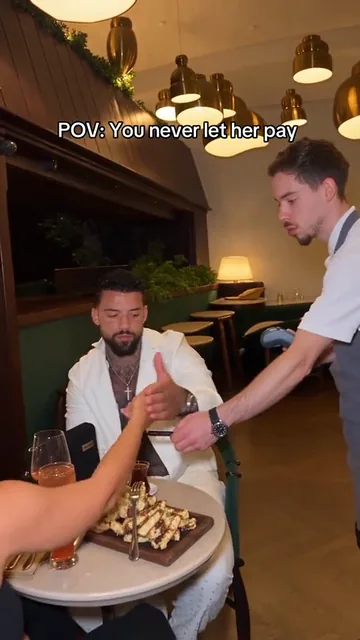
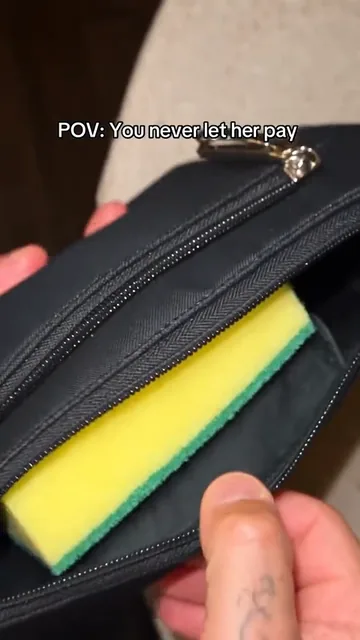
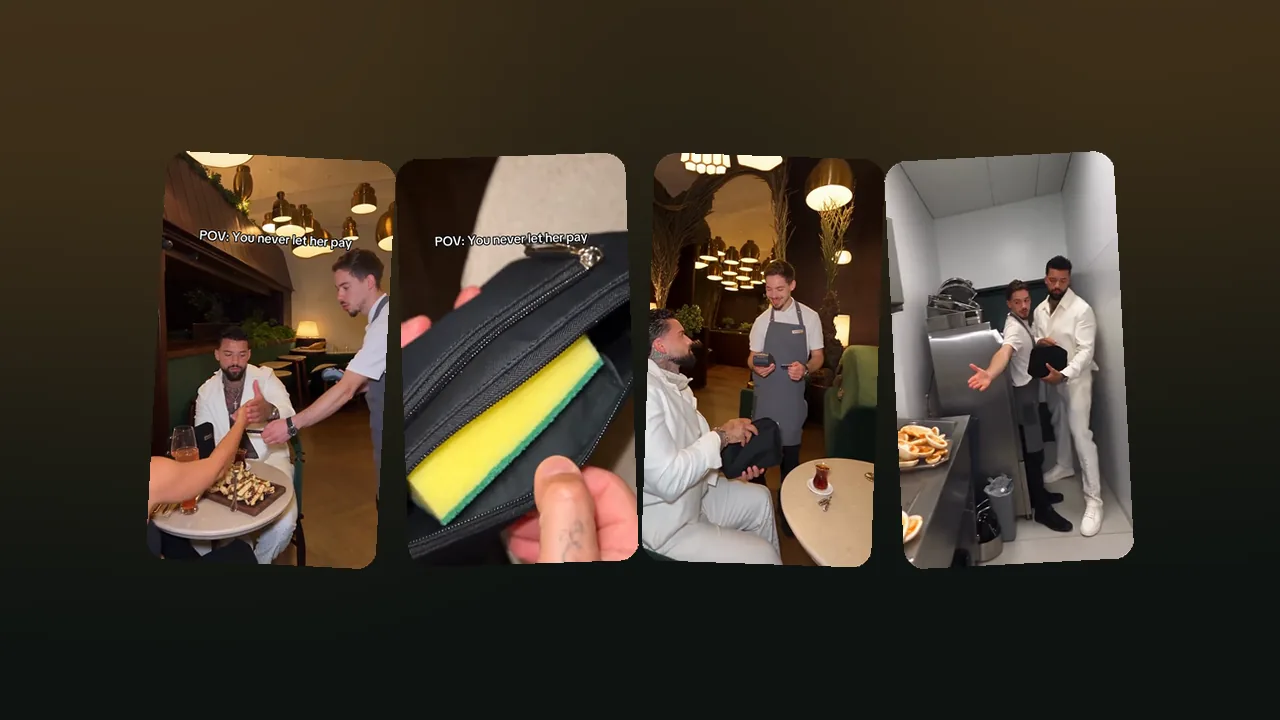
  1. Shot 1 of the Never Let Her Pay meme: stops her hand as she reaches over with her card while the waiter holds out the card machine
    Shot 1 · 0.0 sRestaurant table under brass pendant lampsStops her hand as she reaches over with her card while the waiter holds out the card machine
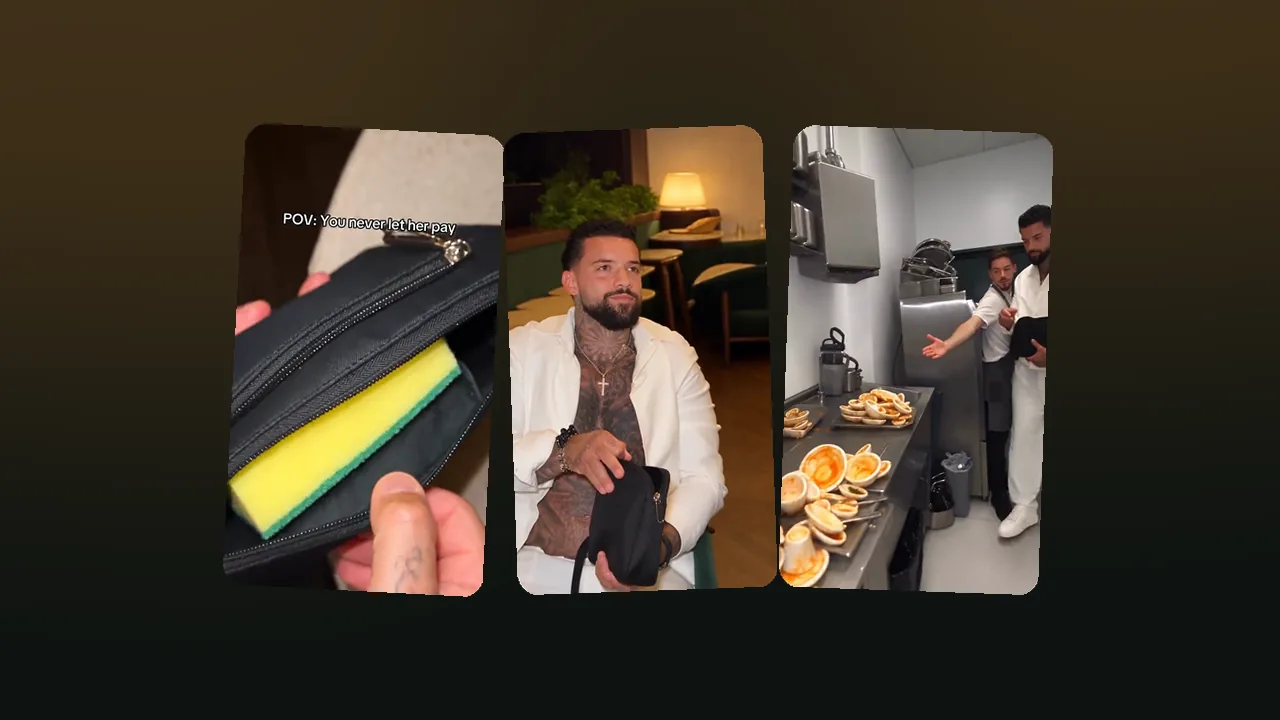
  2. Shot 2 of the Never Let Her Pay meme: unzips the pouch: inside is a yellow-and-green dish sponge instead of money
    Shot 2 · 3.3 sClose-up of the black pouchUnzips the pouch: inside is a yellow-and-green dish sponge instead of money
  3. Shot 3 of the Never Let Her Pay meme: holds the pouch in his lap with a straight, proud face
    Shot 3 · 4.8 sRestaurant seat, medium close-upHolds the pouch in his lap with a straight, proud face
  4. Shot 4 of the Never Let Her Pay meme: sits holding the pouch while the waiter with the card machine bursts out laughing
    Shot 4 · 6.0 sGreen armchair by a small marble tableSits holding the pouch while the waiter with the card machine bursts out laughing
  5. Shot 5 of the Never Let Her Pay meme: walks to the back with the waiter, who has a hand on his back
    Shot 5 · 7.7 sDining room under arches and pendant lamps, seen from behindWalks to the back with the waiter, who has a hand on his back
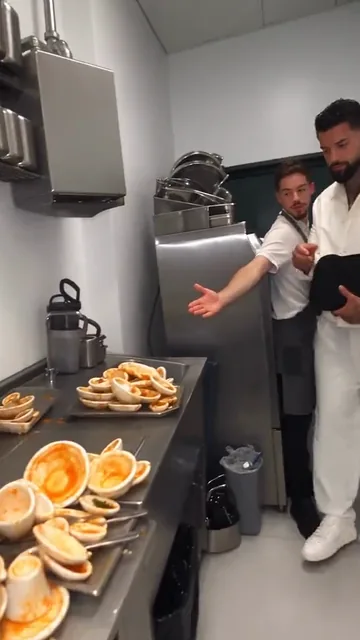
  6. Shot 6 of the Never Let Her Pay meme: the waiter points him to a counter piled with dirty plates; he stands ready with the pouch
    Shot 6 · 9.0 sStainless-steel restaurant kitchenThe waiter points him to a counter piled with dirty plates; he stands ready with the pouch

How do you make the never let her pay video with AI?

Three steps in the generator at the top of this page, with no editing app. The restaurant, the sponge reveal and the walk to the kitchen are already built in.

  1. 01

    Add one photo of yourself

    A clear, front-facing shot with head, shoulders and upper body in frame, and no sunglasses. You take the place of the man in white. Want a friend in it? Open “Swap the waiter too” and add their photo: only the waiter’s head changes.

  2. 02

    Pick a quality and press Generate

    100 credits at 480p, 200 at 720p or 600 at 1080p. Rendering takes a few minutes and you can close the tab meanwhile. The MP4 waits under “My videos”.

  3. 03

    Download, add the sound, post

    Upload the MP4 to TikTok, Reels or Shorts and add the music inside the app, not in the file: that keeps it clear of copyright mutes. Then write “POV: You never let her pay” on screen. The step-by-step is just below.

  4. The full walkthrough, including how to film the sponge joke yourself, is in how to make a Never Let Her Pay video.

Photos that work best


  • One person per photo. Group shots confuse the model.
  • Head to waist in frame, facing the camera.
  • Even light and a sharp face. Take the sunglasses off.
  • Portrait or square crop, at least 341 px on each side. JPG, PNG or WebP.
  • Only adults who agreed to appear. No minors, celebrities or public figures.

How do you add background music on TikTok without copyright trouble?

Add the music inside TikTok, not before you upload. The video from this site is a silent MP4 on purpose: a song pasted into the file is copyrighted audio that TikTok can detect and mute, while a sound picked from TikTok’s own library is licensed by TikTok for personal posts in the app. It takes about a minute.

Why the video has no music

Music in the file is a copyright risk

  • Almost every popular song is owned by a label and a publisher. Putting it into a video yourself is not covered by TikTok’s music licences, and platforms scan uploads for it.
  • What usually happens is that the audio gets muted, the video is blocked in some countries, or it is taken down after a claim. A muted joke video loses most of its reach.
  • Sounds you pick inside TikTok come with TikTok’s licence for personal, non-commercial posts in the app. They also link your video to the sound’s page, where people browse the trend.
  • Do not rip the audio of someone else’s TikTok or a song from YouTube or Spotify and paste it into the MP4. Use the app’s sound picker instead.

Way 1

Use the trend’s own sound

Best for joining the trend: your video lands next to the others that use the same sound.

  1. 1Download your MP4 from “My videos” to your phone.
  2. 2In TikTok, open any “POV: You never let her pay” video you like.
  3. 3Tap the sound name or the spinning record at the bottom right, then tap “Use this sound”.
  4. 4On the camera screen, tap “Upload” and pick your MP4.
  5. 5Check the sync in the preview. Drag the sound to start where you want, then tap “Next”.
  6. 6Add the text “POV: You never let her pay” near the top, write a caption, and post.

Way 2

Pick a sound in the editor

Best when you want a different song or a sound from TikTok’s library.

  1. 1Tap “+” at the bottom of TikTok, then “Upload”, and pick your MP4.
  2. 2In the editor, tap the sound button at the top (“Add sound” or “Sounds”, depending on your app version).
  3. 3Search for a song or the trend name, or pick one from the suggestions. Tap the check mark to use it.
  4. 4Trim the sound so the best part plays when the sponge appears, around 3 to 5 seconds in.
  5. 5Open “Volume” and turn the added sound up; the original track of your MP4 is silent anyway.
  6. 6Tap “Next”, add the POV text and a caption, and post.

On a business account? TikTok business accounts can only use the Commercial Music Library, a set of tracks cleared for commercial use. If the trend sound does not show up when you tap the sound button, that is why. Pick a track from that library instead; TikTok explains how in how to use the Commercial Music Library.

Posting to Reels or Shorts? Do the same there: upload the silent MP4, then add a song from Instagram’s or YouTube’s own audio library in the app’s editor. If you edit in CapCut first, its music library has its own licence terms, so the safest choice for a TikTok post is still to add the sound in TikTok.

Who is the sponge meme video maker for?

The AI version of the meme suits anyone who wants the joke without a restaurant, a fake date, a waiter or a camera. Most videos made here come from these people:

  • TikTok, Reels and Shorts creators

    You want the trend up while it is hot, in a vertical format that posts as it is, with the trend sound added in the app.

  • Couples roasting each other

    Put your boyfriend in the white outfit with the sponge and send it to him, or post it on your anniversary. He has to have said yes.

  • Friends and group chats

    The friend who never picks up the bill, now washing dishes in a restaurant kitchen, and you as the laughing waiter who walks him there. A birthday roast in eleven seconds.

  • People who will not act on camera

    No acting, no filming in a real restaurant, no explaining yourself to a waiter. One photo is enough.

Use something else if you want…

  • A celebrity, a public figure or anyone under 18 in the video. Those photos are not allowed here.
  • To act it out with your own date and waiter. The shot list is in the Never Let Her Pay template, and filming it is free.
  • Your own twist on the joke, with a different prop or place. A general AI video model you prompt yourself fits better; see the free ways to make it.
  • An actual answer on who should pay on a date. That is in is the man always supposed to pay.

How long is the POV clip, and what file do you get?

The POV: you never let her pay video comes out as a 11.25-second vertical MP4 in 6 shots, at 480p, 720p or 1080p, with no watermark and no sound. Every spec is on the receipt.

  • Photo files: JPG, PNG or WebP, up to 20 MB, at least 341 px on the short side, cropped no taller or wider than 2:5.
  • Render time: usually a few minutes; you can close the page while it renders.
  • Storage: finished videos stay under “My videos” for 14 days.
  • If a video fails: its credits go back to your balance automatically.
Never Let Her Pay AI video specs
Spec sheet · 1 video
Length11.25 seconds
Shots6
Photos needed1 (a 2nd for the waiter is optional)
FrameVertical 9:16
OutfitThe all-white look from the clip
SoundNone: add the trend sound when you post
WatermarkNone
Credits at 480p100
Credits at 720p200
Credits at 1080p600

How much does the AI sponge meme video cost?

Buy credits once and use them whenever you like: they never expire. No watermark, and failed videos are refunded.

Single


  • 100 credits
  • 1 standard video
  • Credits never expire
  • Failed videos refunded automatically

Total

$8.90

One video, to see how it looks.

Most popular

Starter


  • 300 credits
  • 3 standard videos
  • Credits never expire
  • Failed videos refunded automatically

Total

$19.90

You, your best friend and one retake.

Creator


  • 900 credits
  • 1 Full HD video or 9 standard
  • Credits never expire
  • Failed videos refunded automatically

Total

$49.90

For you, your friends and a few retakes.

Pro


  • 1800 credits
  • 3 Full HD videos or 18 standard
  • Credits never expire
  • Failed videos refunded automatically

Total

$89.90

For creators posting the meme every week.

AI, CapCut or filming it yourself: which way is best?

It depends on what you have. If you have a friend, a pouch, a sponge and a restaurant that plays along, filming it is free and the most authentic. If you want the original clip with your face in it and no filming, the AI generator fits. CapCut is for editing either one before you post.

Ways to make the Never Let Her Pay video compared
OptionWhat you getWhat you needLengthPricePick it when
Never Let Her Pay AI (this site)The original six-shot clip recreated with your face, plus an optional second face on the waiter; vertical MP4, up to 1080p.One photo of one adult; a second, optional photo swaps the waiter’s face11.25 s, 6 shots100 credits per video at 480p; packs from $8.90 for 100 credits, no subscriptionYou want the original joke with you in it, without filming, and no watermark or subscription.
Film it yourselfRecreate the six shots with a friend as your date, a pouch, a dish sponge and a restaurant or kitchen you can film in.None: you act it outWhatever you filmFree apart from the dinnerYou have a willing friend, a friendly restaurant and an hour to film and edit.
CapCutA free video editor from ByteDance with text, sounds and templates. It edits footage you have; it does not put your face into the clip.Your own footageAnyFree app; some features need CapCut ProYou filmed it yourself, or want to add the caption and the sound to the AI video before posting.
Media.ioAn AI video site with a “you never let her pay ai video” page among its trend templates.Not stated on the pageNot stated on the pageNot stated on the pageYou already use Media.io for other AI effects.

Last checked . Details of other options come from their own pages and can change. The free routes are covered in is there a free Never Let Her Pay AI.

The joke, explained

What does the “you never let her pay” meme mean?

The “you never let her pay” meme is a bait-and-switch about paying for dinner. The caption sets up a gentleman who always covers the bill. He stops his date reaching for her card, then opens his pouch: inside is a yellow-and-green dish sponge, not money. The waiter leads him to the kitchen, where a counter of dirty plates is waiting. He keeps his word that she never pays. He just pays by washing the dishes.

The clip spread on TikTok in November 2026 as a POV video, and people now recreate it with their own faces using AI. The meme plays on the old “who pays on the first date” argument without taking a side.

The full breakdown is in the Never Let Her Pay meme explained; how people post it is in the You Never Let Her Pay trend on TikTok.

Questions people ask about the sponge meme video

Never Let Her Pay AI is an online video generator that puts you in the viral "POV: You never let her pay" meme. You upload one photo of yourself and the AI recreates the 11.25-second clip with you as the man in white: he stops his date's card, opens his pouch to show a dish sponge, and follows the waiter to the kitchen. It runs in the browser, with no app and no prompt.

Making the sponge meme video with AI takes three steps on this page. Upload one clear, front-facing photo of yourself. Pick 480p, 720p or 1080p and press Generate. A few minutes later the MP4 appears under “My videos”. Download it, upload it to TikTok or Reels, add the trend sound and the caption “POV: You never let her pay”.

The Never Let Her Pay template is 11.25 seconds long and has 6 shots. He stops her card while the waiter holds out the card machine. He unzips a black pouch to show a yellow-and-green dish sponge. He keeps a straight face. The waiter laughs. The waiter walks him to the back. The last shot is a kitchen counter piled with dirty plates.

The best photo for the sponge meme AI video shows one adult facing the camera, head to waist in frame, in even light, without sunglasses or a hat over the eyes. A sharp phone selfie or a half-body portrait works. Group photos, side profiles and heavy filters make the face drift. Photos of celebrities, public figures and anyone under 18 are not allowed.

No. The Never Let Her Pay AI video comes out as a silent vertical MP4 on purpose. Background music pasted into a video file is a copyright risk: TikTok can detect it and mute or remove the post. Sounds added inside TikTok, Instagram Reels or YouTube Shorts come from their licensed libraries, and on TikTok they also link your video to the trend’s sound page.

To add background music on TikTok, open any never let her pay video, tap the sound name at the bottom right, tap “Use this sound”, then tap “Upload” and pick your MP4. Or upload the MP4 first and tap the sound button at the top of the editor to search TikTok’s library. Business accounts only see TikTok’s Commercial Music Library.

The never let her pay AI video usually takes a few minutes to render, depending on the quality you pick and how busy the video model is. You can close the tab while it works. The finished video waits under “My videos” on this page for 14 days, ready to watch full size or download.

A Never Let Her Pay AI video costs 100 credits at Standard (480p), 200 at HD (720p) or 600 at Full HD (1080p). Credits come in one-time packs from $8.90 for 100 credits, which is one 100-credit standard video. There is no subscription, credits never expire, and a video that fails gives its credits back automatically.

Yes, if you film it yourself. The never let her pay video needs a restaurant table, a friend to play your date, a small pouch, a dish sponge and a phone. Six quick shots recreate the joke. The AI version on this site is not free: it costs credits because every render runs on a paid video model. It saves you the filming, the restaurant and the friends.

No. Videos from the Never Let Her Pay AI generator download as a plain MP4 with no logo or watermark. You can post the video as it is to TikTok, Instagram Reels, YouTube Shorts or a group chat, or edit it further in CapCut. Videos are labelled as AI-generated in the studio, and you should keep it clear that the clip is a joke made with AI.

Yes. The never let her pay AI generator takes one required photo for the man in white and an optional second photo for the waiter. With the second photo, only the waiter’s head changes: his face and hair become your friend’s, while his white shirt, grey apron and laugh stay. Both versions cost the same. The date always stays as she is.

Yes, as long as your friend or boyfriend is an adult who agreed to it. Upload a photo of him instead of yourself and he becomes the man who pulls out the sponge, or add him as the waiter next to you. It makes a good birthday roast or anniversary joke. Never upload photos of someone who did not agree, of a minor, or of a celebrity.

Yes. The Never Let Her Pay AI generator runs in Safari on iPhone, Chrome on Android and any modern desktop browser. There is no app to install. You can upload a photo straight from your camera roll, and the finished MP4 saves to your phone from the Download button, ready to post to TikTok or Reels.

In the meme, "you never let her pay" sounds like a gentleman insisting on paying the bill. The twist is how he pays: instead of a wallet, his pouch holds a dish sponge, and the waiter leads him to the kitchen to wash the dishes. He keeps his promise that she never pays, while he has no money at all.

No. The never let her pay sponge meme uses a real kitchen sponge, yellow foam on a green scourer, not SpongeBob. Search engines sometimes mix the two because both involve a yellow sponge and money. The joke is that the man pays for dinner by washing dishes, so the sponge in his pouch is his "card".

Last updated . Prices and the video length on this page come from the live generator settings.

Dinner’s on you. The dishes too.

Upload one photo, let the AI hand you the sponge, and post it tonight with the trend sound.